
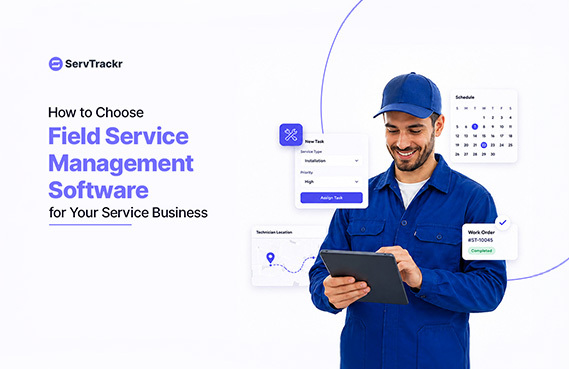
If you run an HVAC, plumbing, electrical, or other home service business, you already know the feeling: a whiteboard full of jobs, a phone full of texts from your crew, and an invoice that doesn't go out until three days after the work is done. At some point, most service business owners start looking for software to fix it. The problem is, "field service management software" covers a lot of ground, and it's easy to buy the wrong thing.
Here's a practical framework for evaluating your options.
What Is Field Service Management Software?
Field service management software is a system that helps businesses that send technicians or crews out to job sites manage the full lifecycle of a job — from the first customer inquiry through scheduling, dispatch, completing the work, and getting paid. Instead of juggling a paper calendar, a separate invoicing tool, and a group text with your team, everything lives in one place.
Signs Your Business Has Outgrown Spreadsheets and Paper
Not every business needs software on day one. These are the signs it's time to look:
- You've double-booked a crew, or sent a tech to the wrong address, more than once this month.
- You don't know whether a job was profitable until you're staring at the final invoice.
- Estimates or invoices sit for days because someone has to manually build them.
- Your team is texting job updates back and forth instead of working off one shared schedule.
- You've lost a customer inquiry because it lived in someone's inbox or voicemail instead of a system.
If two or more of these sound familiar, the cost of not switching is probably higher than the cost of the software.
7 Features to Look for in Field Service Management Software
1. Scheduling and dispatch. You should be able to see your whole team's schedule in one place, and dispatch the closest available technician to a new job — not just whoever is next in line.
2. Real-time job costing. The best systems show you labor, materials, and profit margin on a job as it happens, not after the invoice goes out. That's the difference between catching a money-losing job on day one versus finding out at the end of the month.
3. Digital estimates with e-signature. Customers should be able to review and approve an estimate from their phone, without printing, signing, and scanning anything.
4. Automatic invoicing. Completed jobs should turn into invoices automatically, pulling in the labor and materials you already logged — not require someone to re-type everything into a separate invoicing tool.
5. A client portal with online payments. A branded portal where customers can view job history, approve quotes, and pay by card or ACH tends to get you paid faster than mailing a paper invoice and waiting on a check.
6. Checklists and project tracking. For multi-visit or recurring jobs, checklists make sure nothing gets missed between techs, especially if more than one person touches a job.
7. A real mobile app. Your crew is in the field, not at a desk. If the software doesn't work well on a phone, your team won't use it.
Questions to Ask Before You Buy
- What's the pricing model? Per user, per month, tiered plans — make sure you understand what happens as you add more users or techs.
- Is there a free trial, and does it require a credit card? A real trial period is the fastest way to see if your team will actually adopt the tool.
- Does it integrate with the accounting software I already use? If you run QuickBooks, confirm the field service tool syncs with it rather than creating a second set of books.
- Can my team use it without a lot of training? Ask to see the mobile app, not just the desktop dashboard.
- What happens to my data if I want to switch later? Reasonable vendors should be able to answer this clearly.
How ServTrackr Fits
ServTrackr is built specifically for HVAC, plumbing, electrical, junk removal, garage door, appliance repair, and locksmith businesses, and covers the ground above: scheduling, live dispatch, real-time profit tracking with margin alerts, digital estimates and invoicing, a branded client portal with card and ACH payments, checklists, and a mobile app for iOS and Android. It also connects with QuickBooks, Google Calendar, and Outlook, so you're not duplicating work across tools you already rely on.
ServTrackr currently offers Founding Member pricing to its first 100 customers, locked in for life, along with a free 14-day trial and no credit card required to start.
FAQ
What does field service management software typically cost? Pricing varies by the size of your team and which features you need — most vendors charge per month with tiers based on user count. ServTrackr's plans currently start at $99/month for up to 5 users under Founding Member pricing.
Can I use field service management software on my phone? Yes, most modern platforms — including ServTrackr — offer a dedicated mobile app so technicians can view schedules, update job status, and capture signatures from the field.
Do I have to sign a long-term contract? That depends on the vendor. ServTrackr offers both monthly and annual billing, with a discount for paying annually, so you can choose what fits your business.
Ready to see it for yourself? Start a free 14-day trial — no credit card required.