
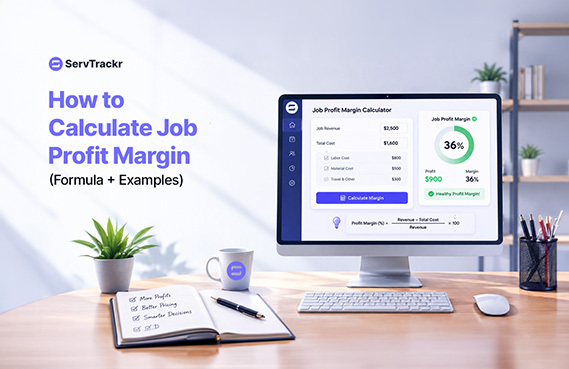
Plenty of service business owners are busy every day of the week and still can't say for sure whether they made money last month. Being busy and being profitable are two different things, and the gap between them usually comes down to one habit: not knowing job profit margin until long after the job is finished.
Here's how to calculate it, where most businesses lose track, and what to do differently.
The Basic Job Profit Margin Formula
Job profit margin is the percentage of revenue from a job that's actually profit, after subtracting your direct costs (labor and materials):
Profit Margin = (Revenue − Total Job Cost) ÷ Revenue × 100
For example, take a job with:
- Revenue: $4,000
- Labor cost: $1,200
- Materials cost: $800
- Total job cost: $2,000
- Profit: $4,000 − $2,000 = $2,000
- Profit margin: $2,000 ÷ $4,000 × 100 = 45%
That's a healthy job. The trouble is, most businesses can only calculate this after the invoice goes out — by which point it's too late to fix anything about that particular job.
5 Common Mistakes That Quietly Kill Your Margins
1. Undercounting labor time. If a job runs long because of a tricky install or a parts run, that extra time needs to hit the job cost — not disappear into "overhead."
2. Forgetting overhead and truck costs. Fuel, vehicle wear, tools, and insurance all belong somewhere in your cost structure, even if they're not itemized on every invoice.
3. Not tracking material price changes. If you're pricing jobs off a materials list from six months ago, rising supplier costs are eating your margin without you noticing.
4. Pricing from memory instead of data. "That's about what we usually charge for this" is a guess, not a number — and guesses drift over time, usually downward.
5. Not knowing margin until the invoice is built. This is the big one. If profit is a number you calculate after the fact, you can't do anything about a low-margin job except learn from it next time.
Why Waiting Until the Invoice Is Too Late
Most job costing happens backward: the job gets done, someone builds the invoice, and only then does anyone add up labor and materials against what was charged. By that point, there's no opportunity to catch a job that's running over budget, flag it to the customer, or adjust before it's finished.
The businesses that protect their margins do the opposite — they track cost and profit while the job is happening, not after.
How Real-Time Job Costing Changes the Math
Real-time job costing means your labor hours and materials are logged as the job happens, and your profit margin updates live, not after you've built an invoice. Some systems, including ServTrackr, can also alert you when a job's margin drops below a threshold you set — so you find out while there's still time to do something about it, rather than discovering it a month later when you're reviewing the books.
This doesn't replace good pricing and estimating. It just makes sure you're not flying blind between the estimate and the invoice.
FAQ
What's a good profit margin for a service business? It varies a lot by trade, overhead structure, and region, so there's no single universal number to chase. What matters more is tracking your margin consistently, job over job, so you can see the trend and catch it early if it starts slipping.
What's the difference between profit margin and markup? Profit margin is profit as a percentage of revenue (profit ÷ revenue). Markup is profit as a percentage of cost (profit ÷ cost). They describe the same dollar amount of profit but from different starting points, and they're easy to mix up — a 50% markup on cost is not the same as a 50% profit margin.
Do I need special software to track job profit in real time? Not strictly, but it's hard to do consistently with spreadsheets alone, since it requires logging labor and material costs as the job happens rather than after. Platforms built for service businesses, like ServTrackr, are designed to make that tracking automatic rather than another manual task.
Want to see your job profit in real time instead of guessing? Start a free 14-day trial of ServTrackr — no credit card required.