
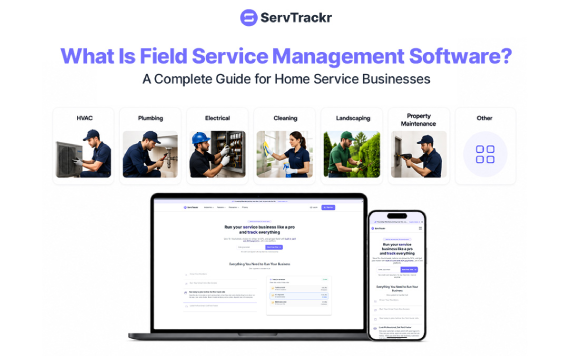
If you run an HVAC, plumbing, electrical, junk removal, garage door, appliance repair, or locksmith business, you've probably felt this pain: jobs booked on a whiteboard, invoices tracked in a spreadsheet, and no real idea which jobs actually made money. That's the exact problem field service management software is built to solve.
This guide breaks down what field service management (FSM) software is, what it actually does day to day, and how to tell if your business is ready for it.
What Is Field Service Management Software?
Field service management software is a business platform that helps companies with mobile teams — technicians, crews, or contractors who work at customer locations — manage the entire job lifecycle in one place. That typically includes:
- Capturing customer requests and inquiries
- Scheduling and dispatching technicians
- Tracking crew locations and job status in real time
- Creating and sending estimates or quotes
- Converting approved estimates into scheduled jobs or projects
- Generating and sending invoices
- Collecting payments online
- Storing customer history in a built-in CRM
Instead of juggling a paper calendar, a separate invoicing tool, a spreadsheet for job costs, and a text thread with your crew, FSM software puts all of it under one roof.
Who Actually Uses Field Service Management Software?
FSM platforms are built for any business where work happens at the customer's location rather than in a single storefront. That includes:
- HVAC companies — install and repair scheduling, maintenance agreements, seasonal dispatch spikes
- Plumbers — emergency dispatch, recurring service calls, parts and materials tracking
- Electricians — multi-day project tracking, code-compliance checklists, permit-linked jobs
- Junk removal companies — same-day booking, route optimization, volume-based pricing
- Garage door companies — repair vs. install workflows, warranty tracking
- Appliance repair techs — parts ordering tied to jobs, repeat customer history
- Locksmiths — fast dispatch for urgent calls, mobile-first invoicing
Any business that sends people out to do the work — rather than having customers come to them — is a fit for FSM software.
Core Features to Look For
Not all field service software is built the same. Here's what separates a basic scheduling app from a true all-in-one platform:
1. Request Capture
Every inbound lead — from a website form, a phone call, or a text — should land in one system automatically, so nothing gets lost in a group chat or a sticky note.
2. Scheduling and Dispatch
A live dispatch board that shows where every truck is, who's free, and who's closest to the next job. The best systems let you drag and drop jobs to reschedule on the fly.
3. Estimates With Digital Approval
Customers should be able to review, sign, and approve a quote from their phone — no printing, no faxing, no chasing signatures.
4. Job and Project Tracking
For multi-visit or multi-day work, the software should track progress, checklists, and team assignments per project, not just per appointment.
5. Invoicing and Payments
Completed jobs should generate an invoice automatically, with built-in card and ACH payment options so you're not waiting on a mailed check.
6. Real-Time Job Costing
This is the feature most legacy tools skip. You should be able to see labor, materials, and profit margin on a job before you've even left the site — not a month later when your bookkeeper reconciles everything.
7. Client Portal
A branded portal where customers can see job history, approve quotes, and pay invoices builds trust and speeds up payment.
Why Businesses Switch to Field Service Software
The most common reasons service businesses adopt an FSM platform:
- Time savings. Manually scheduling, invoicing, and following up eats hours every week. Automating that workflow commonly saves technicians and office staff 10+ hours a week.
- Fewer no-shows. Automated reminders and a clear dispatch view cut down on missed appointments significantly.
- Faster payment. Digital invoices with built-in payment links get paid faster than mailed paper invoices.
- Real profitability visibility. Many contractors are surprised to learn some of their "busy" jobs are actually losing money once materials and labor are properly tracked.
- A more professional customer experience. A branded portal, digital estimates, and text/email updates make a small business look — and feel — like a larger, more established one.
Do You Actually Need FSM Software?
You're likely ready if any of these sound familiar:
- You're scheduling jobs by phone, text, or a paper calendar
- You don't know your real profit margin per job until the end of the month (if at all)
- Your team is missing appointments or double-booking
- Invoicing takes days after the job is finished
- You've outgrown a spreadsheet but aren't ready for expensive enterprise software
If you checked more than one box, it's worth trying a platform built specifically for home service businesses.
How ServTrackr Fits In
ServTrackr is an all-in-one field service management platform built for HVAC, plumbing, electrical, junk removal, garage door, appliance repair, and locksmith businesses. It combines request capture, scheduling and dispatch, estimates, project tracking, invoicing, and real-time profit tracking in one system, with a live dispatch map, a branded client portal, and integrations with QuickBooks, Google Calendar, and Outlook.
You can see how it works with a 14-day free trial — no credit card required.
Frequently Asked Questions
What's the difference between field service management software and a CRM? A CRM tracks customer relationships and contact history. Field service management software includes CRM-style customer tracking but adds the operational layer on top — scheduling, dispatch, estimates, job costing, and invoicing — that a general-purpose CRM doesn't handle.
Is field service management software only for large companies? No. Many FSM platforms, including ServTrackr, are built specifically for small and growing service businesses, with plans that scale from a handful of users to full teams.
How much does field service management software cost? Pricing varies by platform and plan, typically ranging from around $100 to $400+ per month depending on team size and features. Most providers offer a free trial so you can test the platform before committing.
What industries use field service management software? Common industries include HVAC, plumbing, electrical, junk removal, garage door repair, appliance repair, locksmith services, landscaping, and pest control — essentially any business that dispatches technicians to customer locations.
Can field service software help with job profitability, not just scheduling? Yes — the more advanced platforms track labor and materials costs per job in real time, so you can see your profit margin before the job is even finished, rather than discovering it was unprofitable after the fact.