
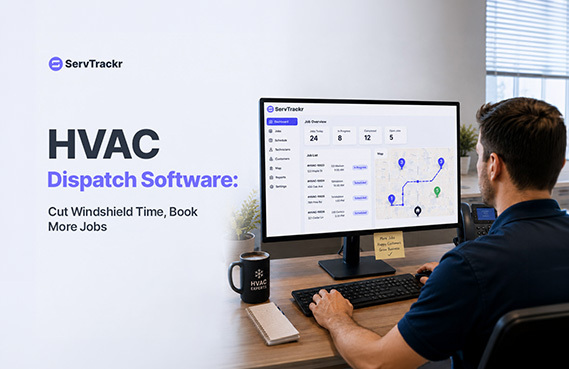
For an HVAC business, the time between jobs is just as important as the time spent on them. Every extra mile a technician drives because of a poorly planned route is time that isn't billable — and during peak summer or winter season, that lost time is the difference between fitting in one more job or turning a customer away.
Here's how dispatch software addresses that, and what to actually look for.
What Is "Windshield Time" and Why It's Costing You Jobs
Windshield time is the time your technicians spend driving between jobs instead of working on them. Some of it is unavoidable — you can't teleport a tech across town. But a lot of it comes from avoidable inefficiencies: dispatching based on who's "next up" rather than who's closest, scrambling to reroute when a job runs long, and rebuilding the day's schedule by phone call instead of a shared system.
During your busiest season, every hour of windshield time you cut is an hour you can put back into the schedule — which means more jobs completed per crew, per day, without adding headcount.
4 Ways Dispatch Software Reduces Drive Time
1. Live crew location visibility. When you can see where every truck is right now, you can dispatch based on actual proximity instead of guesswork.
2. Assigning the closest available tech. Rather than working strictly first-in, first-out, the closest available technician gets the next job, cutting unnecessary cross-town drives.
3. Drag-and-drop rescheduling. When a job runs long or a customer needs to move their appointment, the rest of the day's schedule should be easy to adjust on the fly, not require a round of phone calls.
4. Fewer missed windows and no-shows. A shared, real-time schedule reduces the chance of double-booking a crew or missing an appointment window altogether — which also means fewer frustrated customers and fewer wasted trips.
What to Look for in HVAC Dispatch Software
- A live map view, not just a list-based schedule.
- A mobile app your techs will actually use in the truck or on the roof.
- Route-aware assignment, so jobs go to the nearest available tech.
- A direct connection to scheduling and invoicing, so job details, time on site, and materials used flow automatically into the invoice instead of being re-entered later.
How ServTrackr's Dispatch Board Works
ServTrackr's live dispatch board, Route Runner, shows where every truck is in real time and lets you send jobs to the closest available technician with a drag-and-drop schedule. GeoStamp time tracking adds location proof to each visit, so you have a clear, accurate record of when a technician arrived and departed — useful for both scheduling accuracy and customer disputes.
Because dispatch, scheduling, and invoicing live in the same platform, a job's location, time on site, and materials used flow straight through to the final invoice, without anyone re-typing job details into a second system.
A Quick Before-and-After
Before: Dispatch happens over the phone or radio. A tech finishes early and sits idle because the next job wasn't reassigned. Another tech runs late and the afternoon schedule falls apart. Nobody has a clear picture of the day until it's over.
After: The dispatcher sees every truck on a live map, reassigns the idle tech to a nearby job in seconds, and drags the late afternoon appointment to a different tech without a single phone call. The day stays on schedule, and one more job gets fit in before 5 p.m.
FAQ
Does dispatch software make sense for a one- or two-truck HVAC operation, or is it only useful for larger crews? It's useful at almost any size. Even a solo operator benefits from a shared schedule that a customer-facing team member (or the tech themselves) can update from a phone, and the profit-tracking and invoicing benefits apply regardless of crew size.
Can HVAC dispatch software connect to QuickBooks and my calendar? Yes — ServTrackr integrates with QuickBooks, Google Calendar, and Outlook, so dispatch and scheduling data stays in sync with the accounting and calendar tools you already use.
Will my technicians actually use it, or is this just another app to manage? The honest answer is: it depends on how easy the mobile experience is. Look for software your techs can use with minimal training in the field — if it's clunky on a phone, adoption will struggle no matter how good the dispatch board looks on a desktop.
See ServTrackr's live dispatch board in action. Start a free 14-day trial — no credit card required.