
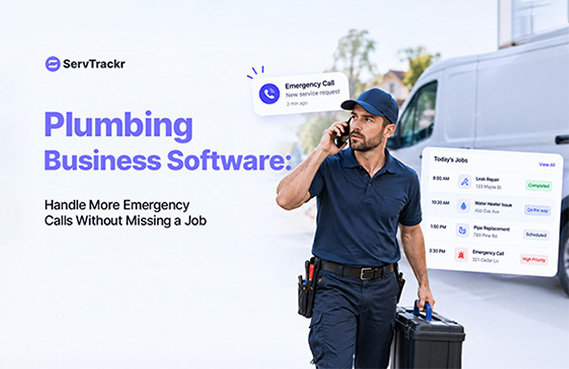
Plumbing runs on two clocks at once. There's the scheduled work — installs, water heater replacements, backflow tests booked months in advance for compliance — and then there's the work that can't wait: a burst pipe, no hot water, a backup at 11 p.m. Managing both without letting one wreck the other is the daily balancing act.
Two Kinds of Plumbing Work, One Schedule
Planned work is predictable. You know when a backflow test is due, and a water heater replacement can usually be booked a few days out. Emergency work is the opposite — it shows up unannounced, in the middle of an already full day, and it doesn't get to wait its turn.
What Happens When the Two Collide
An emergency call comes in mid-morning, and suddenly every job already on the books for that day is at risk of running late. Without a clear view of which technician is actually closest and available, dispatch ends up guessing — and the guess is often wrong, which means more drive time and a longer wait for the customer with the actual emergency.
There's a second problem too: a job that was quoted over the phone ("probably a couple hundred dollars") often turns into something different once a technician is actually under the sink. Without a fast way to build a real, on-site estimate, that gap becomes an awkward conversation at the customer's door.
4 Ways Plumbing Business Software Helps
- Centralize every request. Calls, website form submissions, and texts all land in one place, so an after-hours emergency inquiry doesn't just sit in a voicemail until morning.
- See live technician location and availability. When you can see who's actually closest, an emergency call can be slotted into the day based on real-time position — not just whoever happens to be "next up."
- Build a real, on-site estimate. Once a technician can see the actual scope of the job, a digital estimate with e-signature approval replaces the original phone-quoted number, so the customer knows exactly what they're agreeing to before the work starts.
- Get paid before the truck leaves. An invoice generated automatically from the completed job, with the option to pay by card or ACH on the spot, means the job is closed out financially the same day it's finished.
What This Looks Like With ServTrackr
ServTrackr captures every plumbing request — phone, form, or message — in one place, and its live dispatch board shows technician location in real time, so an emergency call can be assigned to whoever's actually closest without derailing the rest of the day's schedule. Once a technician is on-site, they can build or revise a digital estimate right from their phone, get it signed, and the completed job flows straight into an invoice with built-in card and ACH payment. Scheduled work — like a backflow test booked months out or a water heater replacement — lives on the same calendar as same-day emergency calls, and everything syncs with QuickBooks so nothing has to be re-entered later.
FAQ
Can I keep scheduled work, like backflow testing, on the calendar while still handling same-day emergencies? Yes. Live dispatch shows technician location and availability in real time, so an emergency call can be slotted in based on who's actually closest, without having to rebuild the day's whole schedule by hand.
Does the customer need to download anything to approve an estimate or pay after hours? No. Estimates and payments run through a web-based client portal, so there's nothing to install — even for a same-night emergency call.
See how ServTrackr handles both sides of a plumbing schedule. Start a free 14-day trial — no credit card required.